

7MMO
Moderator
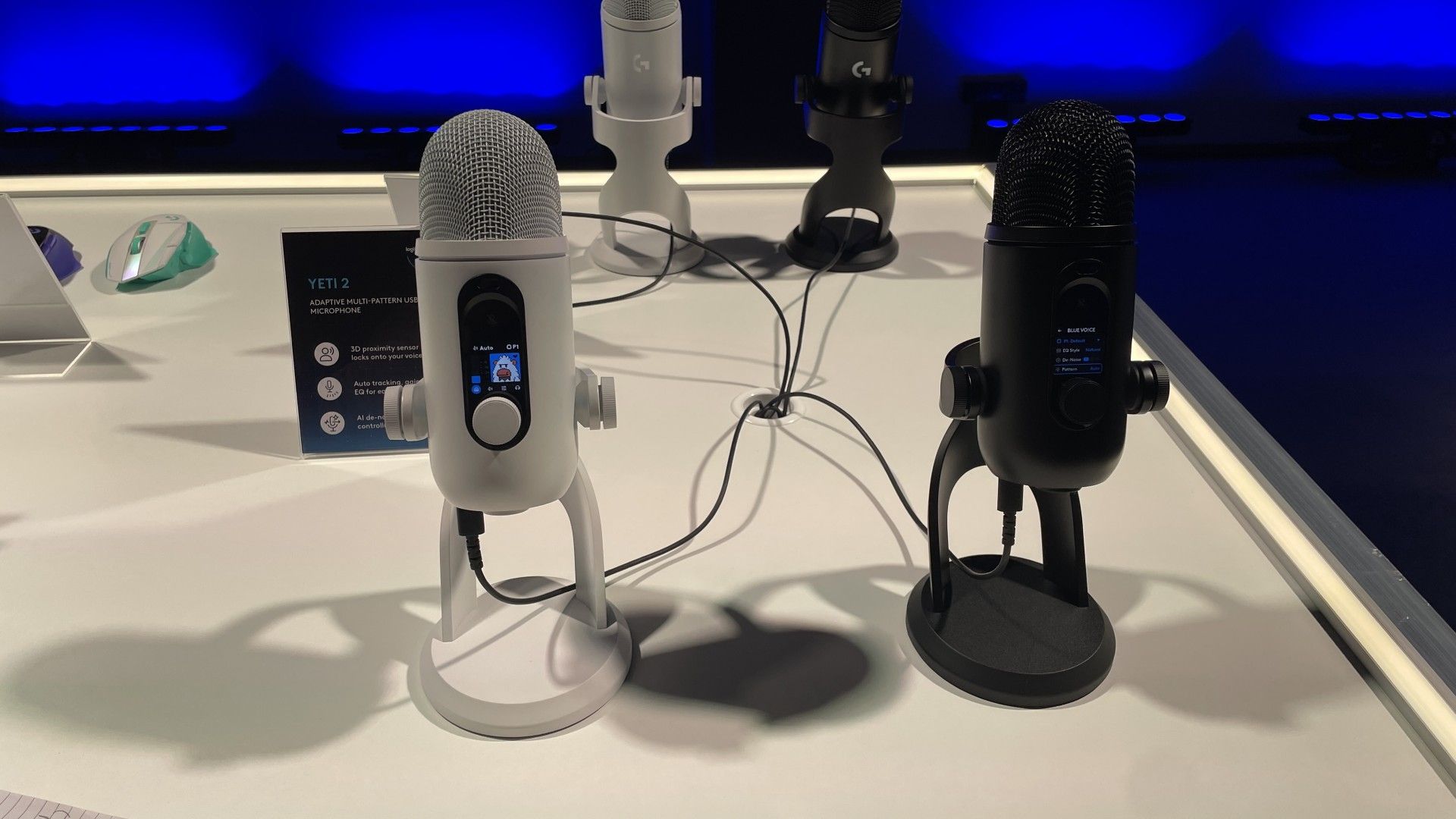
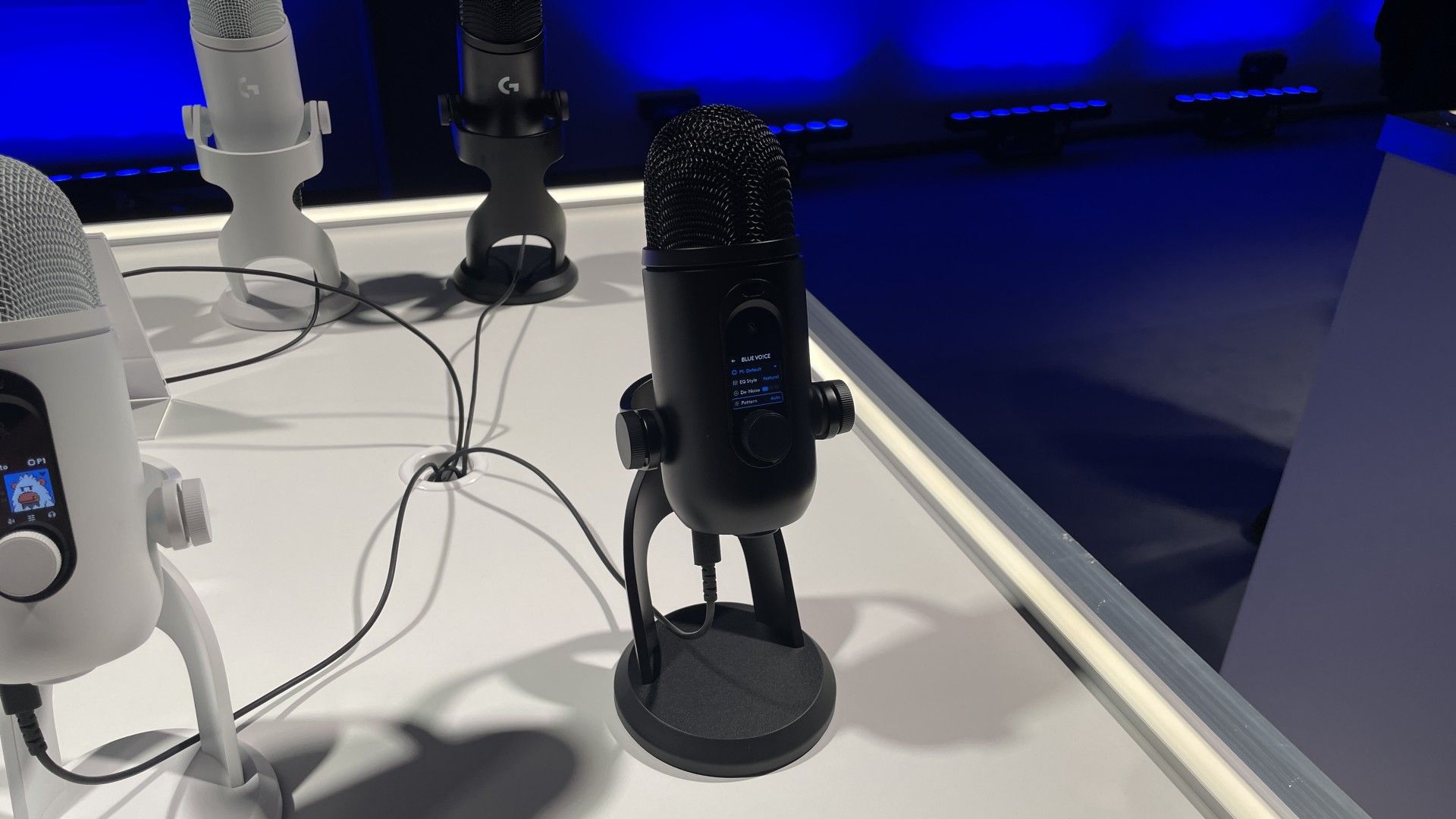
Anyone else remember the Blue Yeti? Of course you do—especially if you're as old as me. I went for the Samson C01U back in the day, because I was a little contrarian and wanted to follow in my then-beloved TotalBiscuit's footsteps, but most people went for the Yeti. Logitech acquired Blue back in 2018, and these many years later the company has cooked up a new version, the Yeti 2, and it's chock-full of AI—or rather, machine learning—baked into its actual hardware.
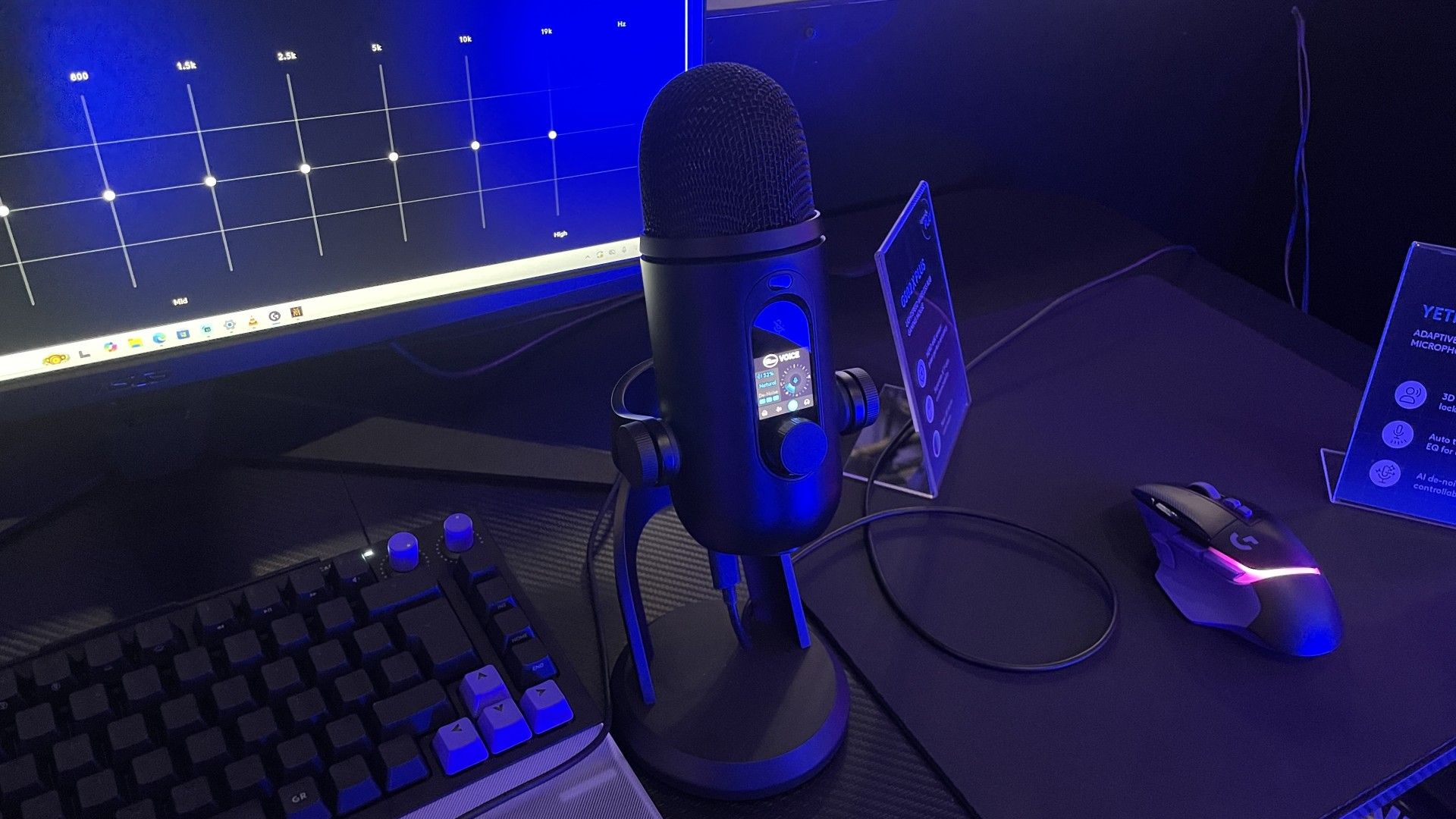
If that was the whole story I'd probably give my 'not more AI' sigh, but after having my, ermm, mouth (?) on it in Warsaw at Logitech's G Play event this week, I'm impressed. It looks like a Yeti, smells like a Yeti, and sounds like a Yeti—that is, itsounds great, from what I could tell during my brief time testing it. But the main draw here is the combination of its OLED screen, its customisation options, and its machine learning-aided voice following and noise reduction.
Oh, and the price tag, too, which I was expecting to be sky-high but is $160/£140. That's still expensive, but well within the high-end USB mic bracket we'd expect.
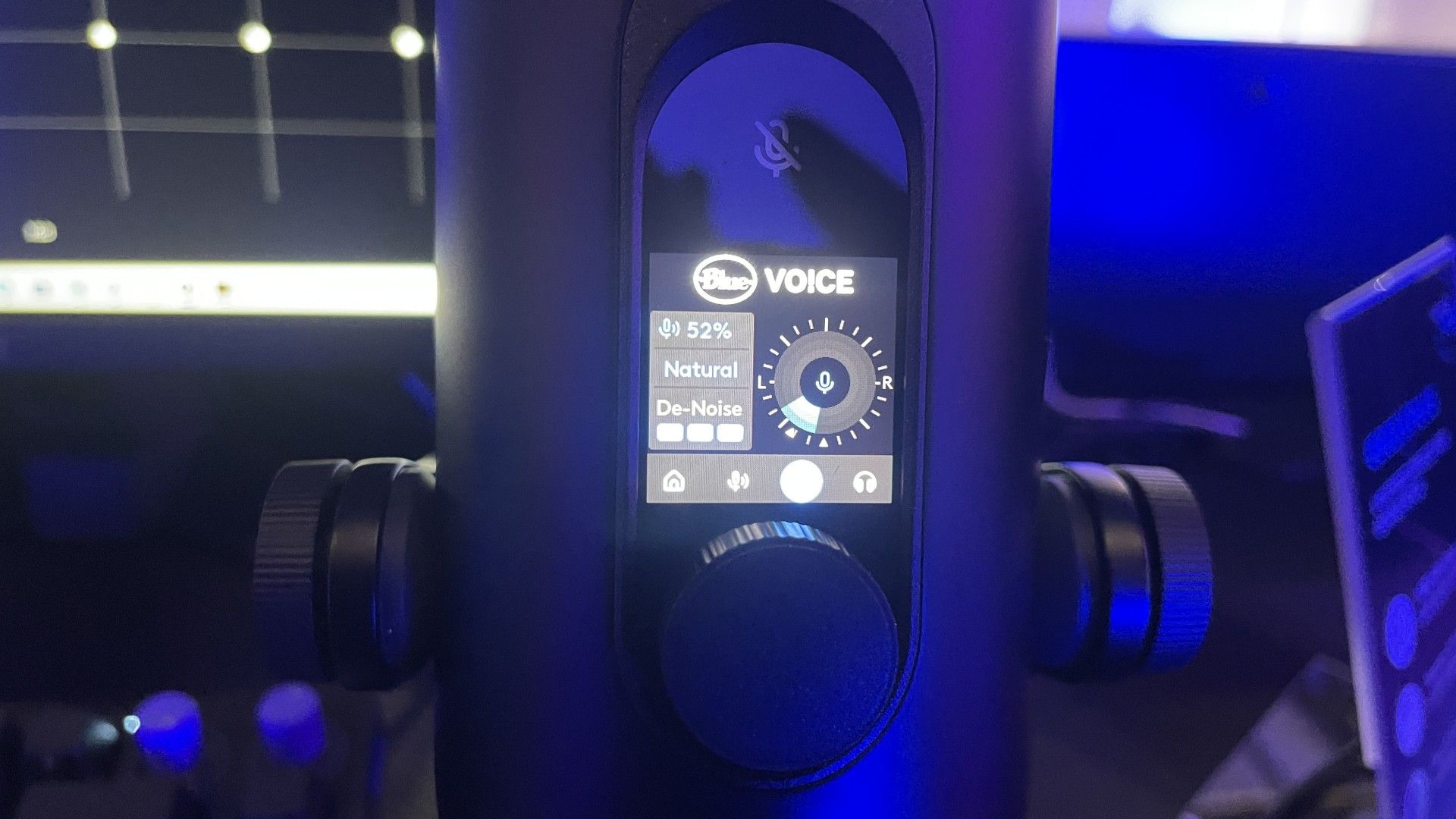
There are tons of customisation options in the G Hub software, but it's also intended to be plug-and-play, which is where the screen comes in handy. There are some default modes for things like music, podcasting and so on, so you can leave it as-is or change to one of those, or you can dive in a bit deeper right on the screen.
The mic is omni-directional, but that allows the polar pattern to be adjusted pretty much at-will. This allows you to use the mic's ML-aided voice following mode, where it changes its cone of pickup direction based on where you're talking from. It uses a combination of voice detection and head-detection for this, using a sensor that Logitech assures me is not a camera and does not store any info about your face. I found it worked well, and you can see how the cone is moving to follow you on its screen.
Future
Future
Future
Future
Future
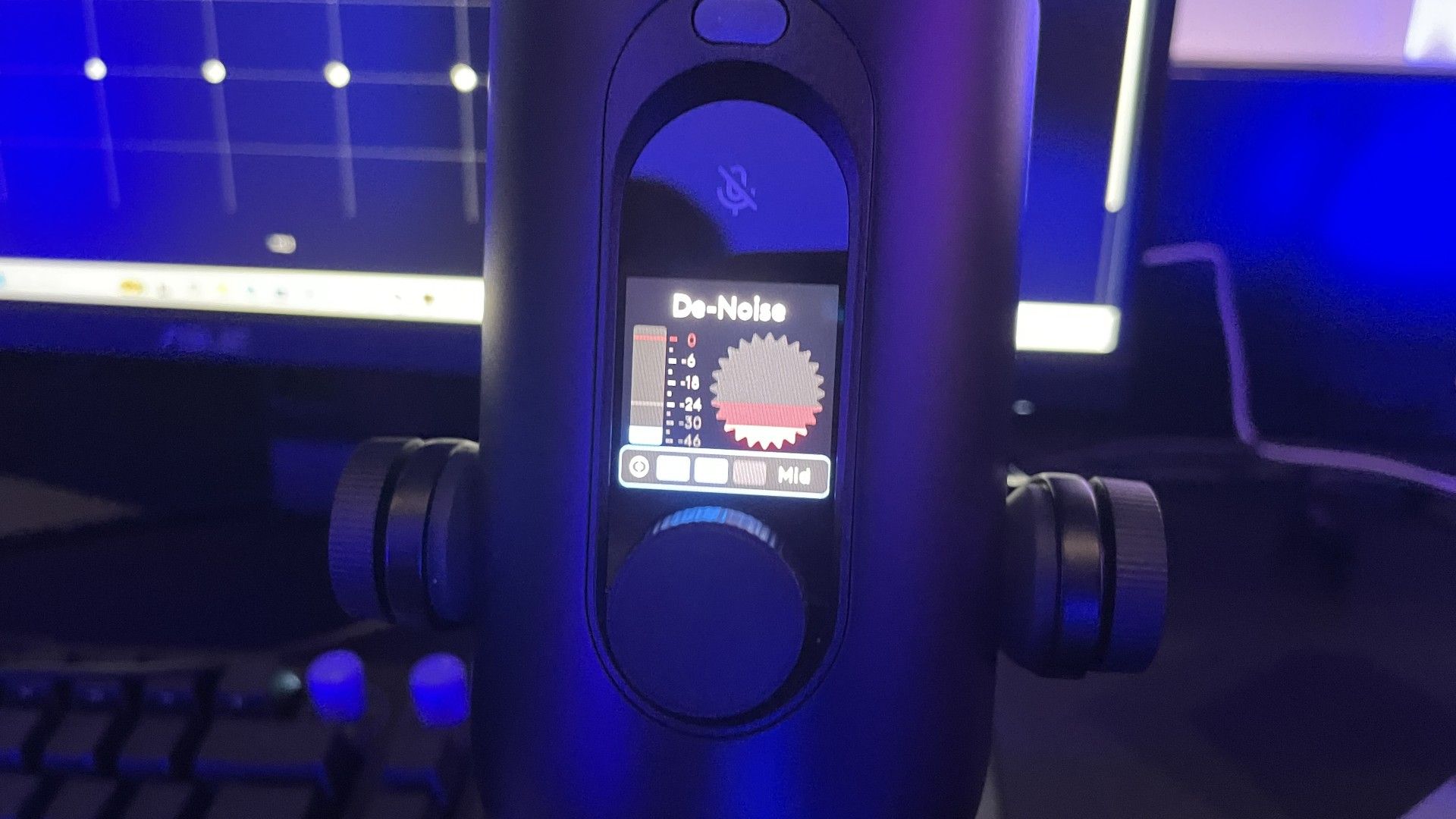
You can also enable noise reduction, which worked incredibly well when I tested it. I was in a busy room with lots of chatter in the background, and I found that going from zero reduction to level 1 eliminated almost all of it. Level 2 eliminated absolutely all of it and my voice still sounded very full. Level 3 cut out some of my voice's frequencies, so I'd advise sticking to level 1 or 2 if you can.
It also has some neat clipping detection, which by default is represented by its little Yeti character on-screen. You can also make and select your own pixel art to show you when you're speaking too loud or too close to the mic.
There's a bunch more to adjust, but those are the main things I noted and tried out during my time with the mic. I'm not usually a fan of AI-laden products, but given this all seems genuinely useful, with its machine learning baked into the device, I'm impressed. My initial thoughts? Potentially a worthy iteration of the classic Yeti mic—we've certainly waited long enough.
Continue reading...
If that was the whole story I'd probably give my 'not more AI' sigh, but after having my, ermm, mouth (?) on it in Warsaw at Logitech's G Play event this week, I'm impressed. It looks like a Yeti, smells like a Yeti, and sounds like a Yeti—that is, itsounds great, from what I could tell during my brief time testing it. But the main draw here is the combination of its OLED screen, its customisation options, and its machine learning-aided voice following and noise reduction.
Oh, and the price tag, too, which I was expecting to be sky-high but is $160/£140. That's still expensive, but well within the high-end USB mic bracket we'd expect.
There are tons of customisation options in the G Hub software, but it's also intended to be plug-and-play, which is where the screen comes in handy. There are some default modes for things like music, podcasting and so on, so you can leave it as-is or change to one of those, or you can dive in a bit deeper right on the screen.
The mic is omni-directional, but that allows the polar pattern to be adjusted pretty much at-will. This allows you to use the mic's ML-aided voice following mode, where it changes its cone of pickup direction based on where you're talking from. It uses a combination of voice detection and head-detection for this, using a sensor that Logitech assures me is not a camera and does not store any info about your face. I found it worked well, and you can see how the cone is moving to follow you on its screen.
Future
Future
Future
Future
Future
You can also enable noise reduction, which worked incredibly well when I tested it. I was in a busy room with lots of chatter in the background, and I found that going from zero reduction to level 1 eliminated almost all of it. Level 2 eliminated absolutely all of it and my voice still sounded very full. Level 3 cut out some of my voice's frequencies, so I'd advise sticking to level 1 or 2 if you can.
It also has some neat clipping detection, which by default is represented by its little Yeti character on-screen. You can also make and select your own pixel art to show you when you're speaking too loud or too close to the mic.
There's a bunch more to adjust, but those are the main things I noted and tried out during my time with the mic. I'm not usually a fan of AI-laden products, but given this all seems genuinely useful, with its machine learning baked into the device, I'm impressed. My initial thoughts? Potentially a worthy iteration of the classic Yeti mic—we've certainly waited long enough.
Continue reading...
