

7MMO
Moderator
During all my time at PC Gamer, there has been but one idea that feels a bit like flying too close to the sun. I am, of course, talking about cramming as many anime figurines as I can into my PC and monitoring the impact on performance. Thankfully, I've got the figurines, a Hyte Y40 PC case with tool-free, pop-off panels, and an otherwise engaged editor.
My methodology is straightforward enough: I'm going to gradually add figurines to the inside of my gaming PC, running FurMark 2 to track any thermal fluctuations. Each time I add more figures, I'll run both the 1080p and the 1440p benchmark presets.
First, let's establish the base line: I'm testing on the iBuyPower RDY Y40 Valorant VCTA R003. On the temperate September day I carried out testing, my RTX 4070 Super enjoyed an ambient temperature of about 34°C / 93.2°F. Without even a whiff of anime inside the PC case, temps shot up to 83°C / 181.4°F under a 100% GPU load in Furmark 2. And, let me tell ya, our Jacob really wasn't kidding when he said those iBuyPower fans get loud under load.
The 1080p benchmark returned a score of 11568, and 195 fps. The 1440p benchmark finished with a score of 7812, and 132 fps. With the baseline established, I couldn't help but wonder: is it really all downhill from here? To find out, I installed the first of many Miku Hatsune figurines.
Immediately after sealing up the machine with one 10 cm figure inside, ambient temperature picked up by a couple of degrees before quickly falling back down to 34°C. I noticed a similar temperature fluctuation more or less every time I replaced the glass panel, though generally things didn't stay toasty for long during testing.
Previous
1 / 4
Next
This chart shows fluctuations in average frame rate in relation to how many anime figures were placed inside the PC case
195
1 anime figure
194
4 anime figures
195
8 anime figures
198
11 anime figures
194
15 anime figures
194
20 anime figures
192
1080p | Avg. fps Data

Honestly, I'm surprised by these results. Having read countless comments under a cool, internally decorated build pearl-clutching about airflow, I was expecting a much more significant performance hit.
While the 1440p benchmark did see a dip to 130 fps around the eight anime figure mark, the frames sat pretty at 132 even after I crammed in more plastic. As for the 1080p benchmark, I actually saw a peak of 198 fps with eight anime figures inside the case. This doesn't necessarily show placing plastic inside your PC actually improves performance, but it's definitely tempting to make that claim.
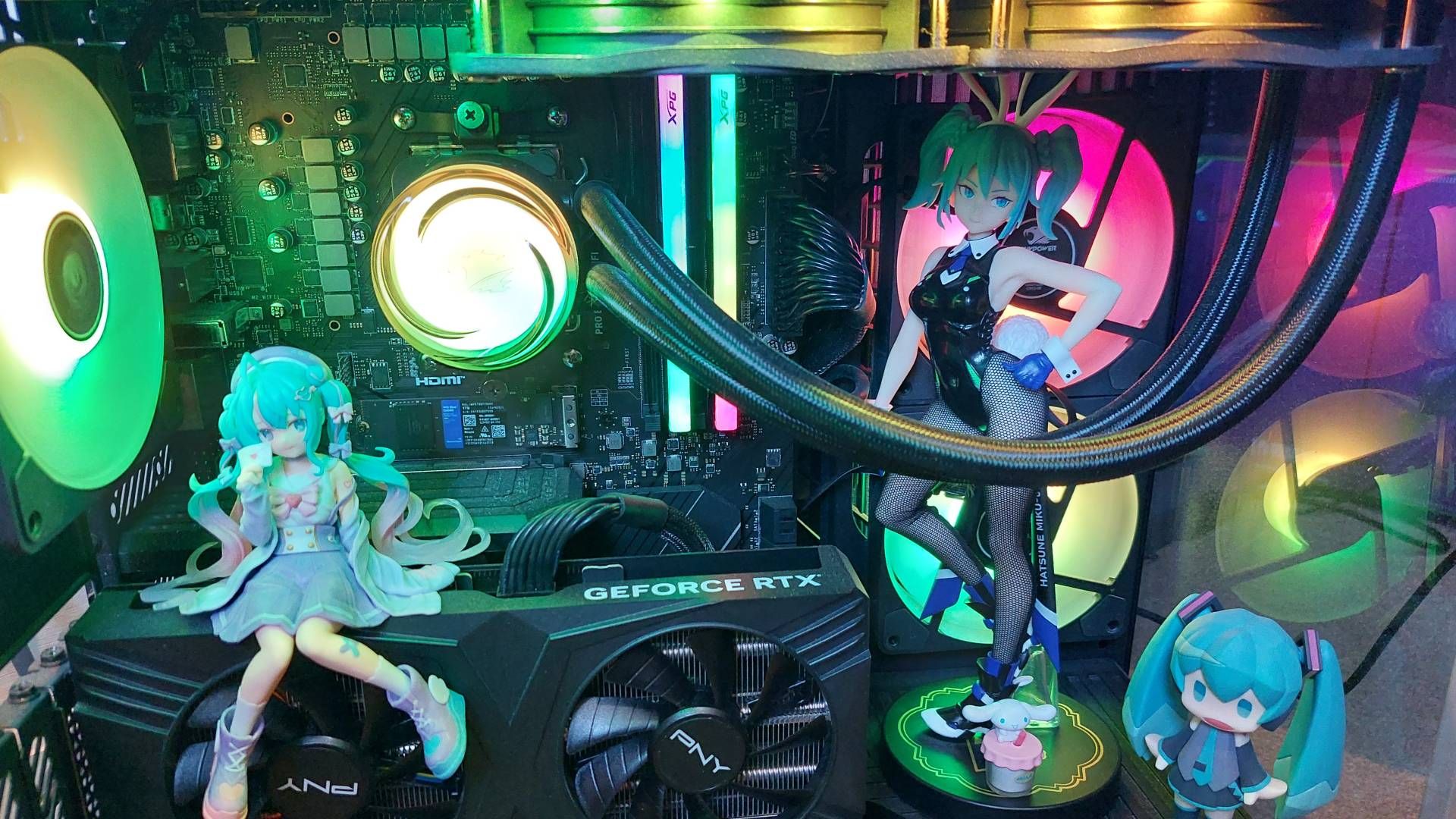
Humble beginnings. (Image credit: Future)
Alright, let's talk temps: at 20 figures, the 1080p benchmark peaked at 84°C / 183.2°F. Otherwise temperatures under 100% GPU load were remarkably consistent. I was also surprised to see ambient temperature drop back down to 34°C / 93.2°F relatively quickly after each benchmark, despite all of the moulded plastic I'd crammed inside my PC.
No, despite my best efforts, it wasn't runaway temperatures that brought my experiment to an end but a much more practical matter: space.
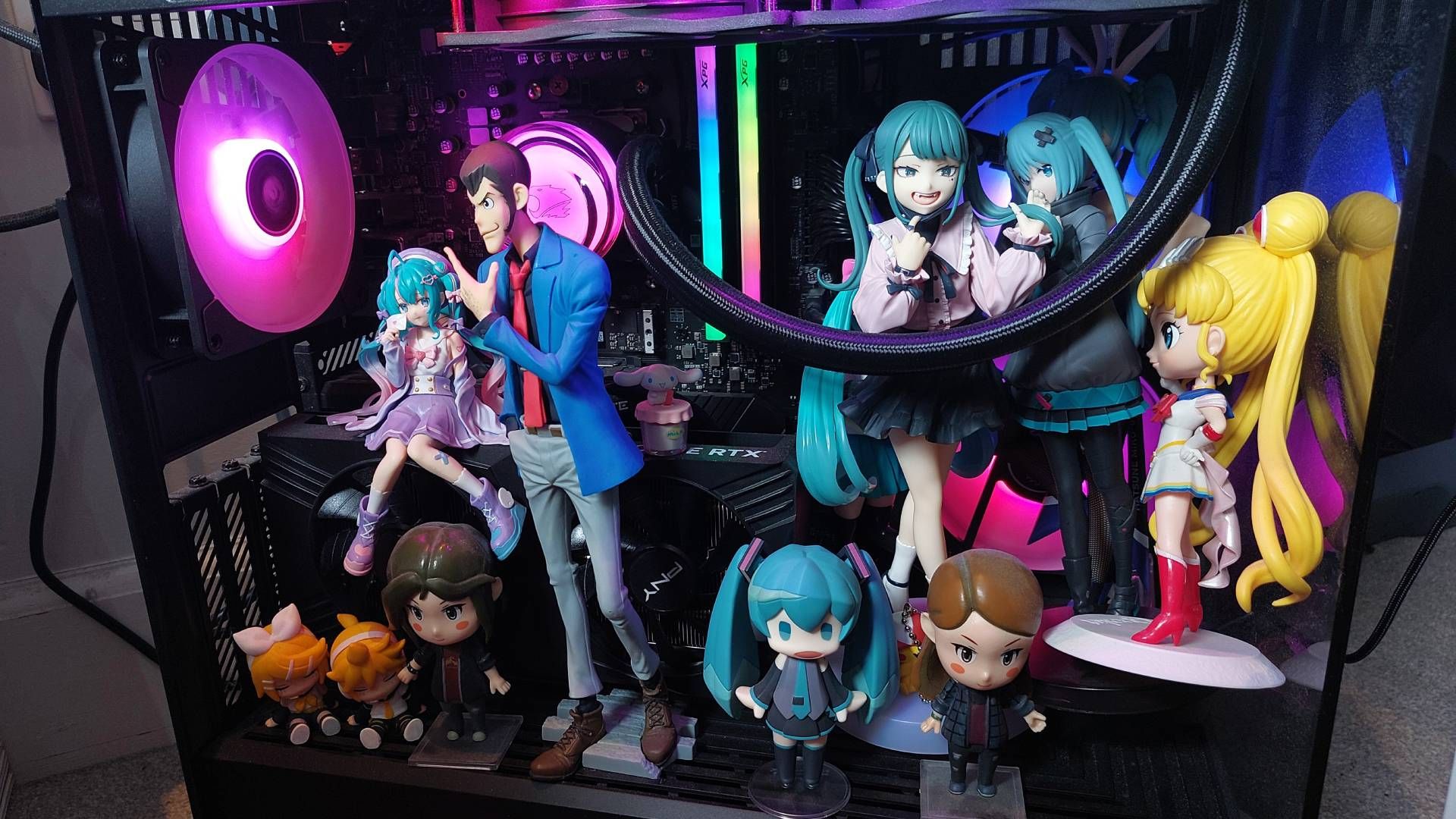
You can't even see them all clearly, but this is what 15 figures inside of my PC case looks like. (Image credit: Future)
Turns out, physics has a lot to do with ensuring a plastic facsimile of your favourite character stands upright. Very simply put that means the spindly legged, twin-tailed form of Ms. Hatsune often needs to be counterbalanced by a wide base. The more outflung her limbs, the bigger the base needs to be to keep her upright.
Unfortunately, that means my taller anime figures (I.E. in the region of 30 cm) took up way more standing room inside of my PC case than I had anticipated—I nearly shore off a bunny ear by sticking my tallest Miku a little too close to a fan. Speaking of, things started to look a lil' dicey around the eight anime figure mark as kicking off FurMark 2 resulted in a HORRIBLE noise from my machine, presumably as plastic struck a rapidly spinning up fan. Though easily remedied by hitting 'Escape', and adjusting the placement of my little guys, it meant I'd have to give over even more space to ensure there was enough clearance between my PC components and my many Mikus.
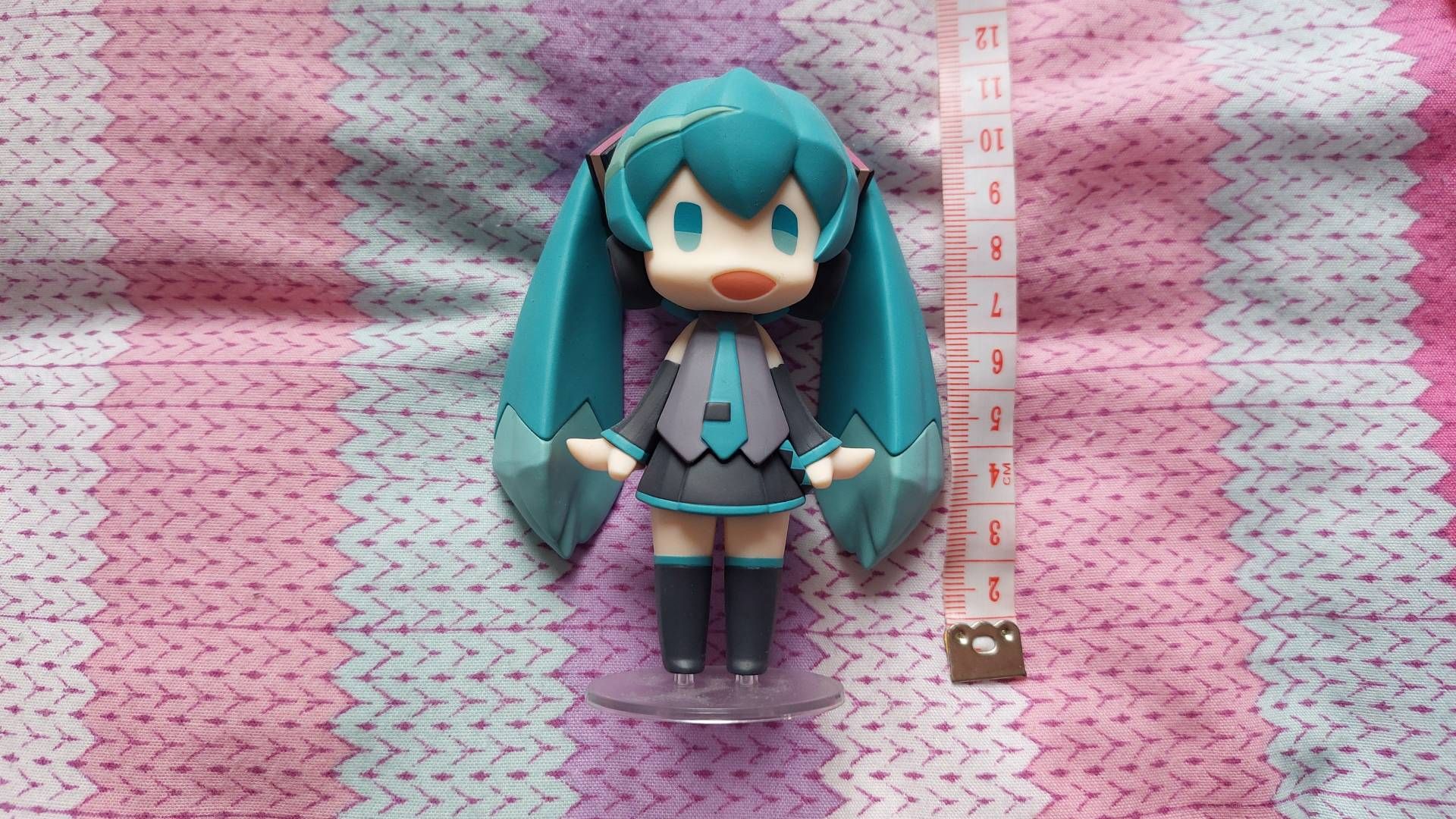
The first, 10 cm tall figure I placed inside of my PC case. (Image credit: Future)
To make the most of the limited space, I began stacking my figures in a vaguely non-euclidean fashion. Running out of floor space? That's okay, I'll just build upwards. This is not ideal for either display or airflow purposes, but I had to make room somewhere.
By enlisting my partner's Lupin III figure and his many Amiibos, I got my final total to 20 figures of various sizes. No, not all of these were strictly anime figures; I had Sonic propping up a precariously perched Sailor Moon. Not all of them were able to standupright—I had poor Samus Aran lying down wherever she'd fit between all of my Mikus.
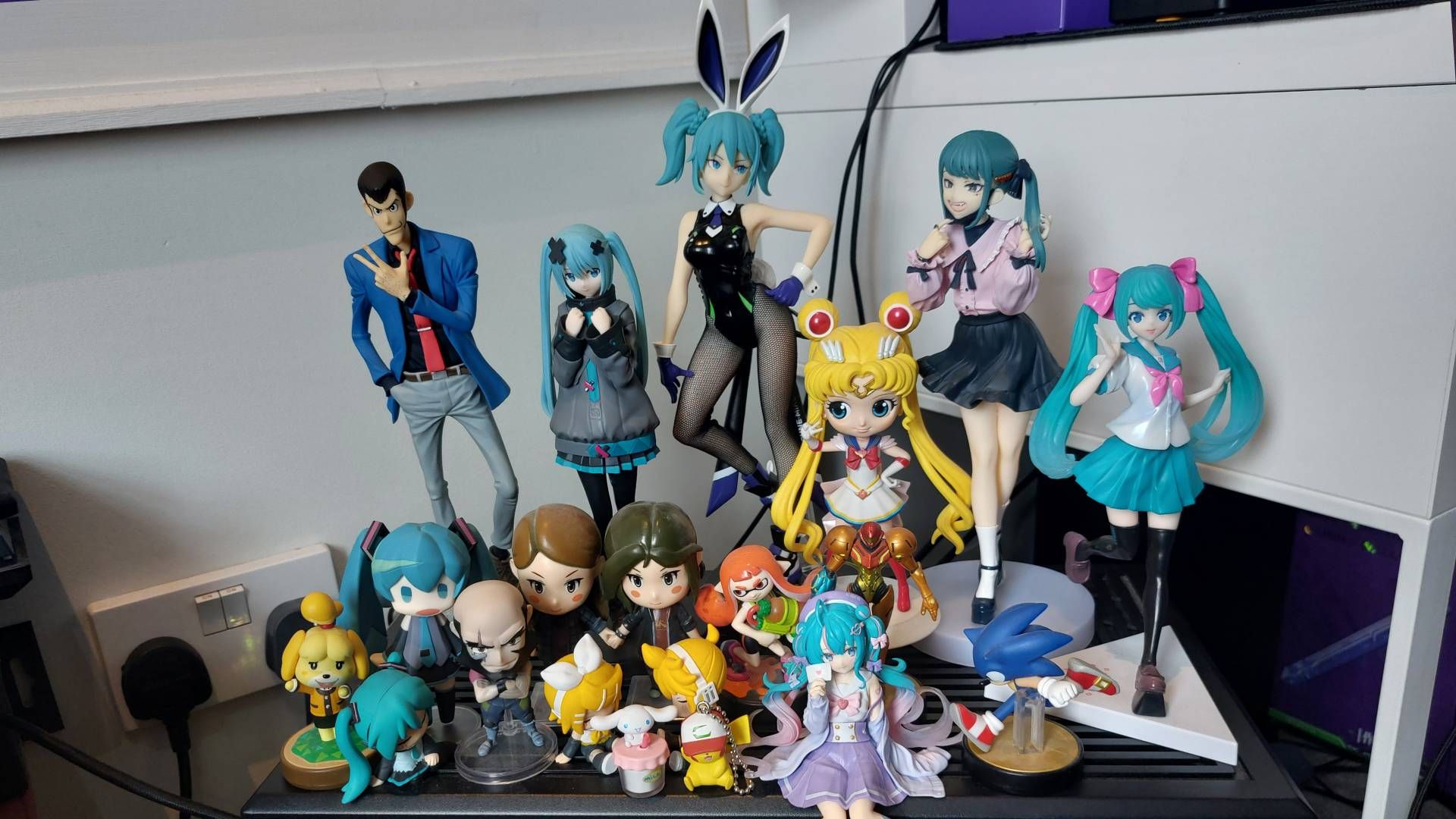
The 'cast photo,' featuring every figure and tchotchke I placed inside my PC for this experiment. (Image credit: Future)
So, if you want to put a cherished anime model inside of your gaming rig, my testing shows that even a few figurines isn't going to meaningfully impact performance—and I think we can all agree that cramming 20 figures inside your PC is excessive even disregarding the question of thermal performance.
All of that is not to say 'airflow, shmare-flow,' though. The 60 second FurMark2 benchmarks offer a performance snapshot, and may not be representative of playing, say, Baldur's Gate 3 at Ultra settings with a PC case full of potentially heat-absorbing figures for hours on end… but maybe I should pitch that experiment to my editor next. You know, for science.
Continue reading...
My methodology is straightforward enough: I'm going to gradually add figurines to the inside of my gaming PC, running FurMark 2 to track any thermal fluctuations. Each time I add more figures, I'll run both the 1080p and the 1440p benchmark presets.
First, let's establish the base line: I'm testing on the iBuyPower RDY Y40 Valorant VCTA R003. On the temperate September day I carried out testing, my RTX 4070 Super enjoyed an ambient temperature of about 34°C / 93.2°F. Without even a whiff of anime inside the PC case, temps shot up to 83°C / 181.4°F under a 100% GPU load in Furmark 2. And, let me tell ya, our Jacob really wasn't kidding when he said those iBuyPower fans get loud under load.
The 1080p benchmark returned a score of 11568, and 195 fps. The 1440p benchmark finished with a score of 7812, and 132 fps. With the baseline established, I couldn't help but wonder: is it really all downhill from here? To find out, I installed the first of many Miku Hatsune figurines.
Immediately after sealing up the machine with one 10 cm figure inside, ambient temperature picked up by a couple of degrees before quickly falling back down to 34°C. I noticed a similar temperature fluctuation more or less every time I replaced the glass panel, though generally things didn't stay toasty for long during testing.
Previous
1 / 4
Next
FurMark 2 Benchmark
This chart shows fluctuations in average frame rate in relation to how many anime figures were placed inside the PC case
1080p | Avg. fps
0 anime figures195
1 anime figure
194
4 anime figures
195
8 anime figures
198
11 anime figures
194
15 anime figures
194
20 anime figures
192
| Product | Value |
|---|---|
| 0 anime figures | 195 |
| 1 anime figure | 194 |
| 4 anime figures | 195 |
| 8 anime figures | 198 |
| 11 anime figures | 194 |
| 15 anime figures | 194 |
| 20 anime figures | 192 |
1080p | Avg. fps Data
Honestly, I'm surprised by these results. Having read countless comments under a cool, internally decorated build pearl-clutching about airflow, I was expecting a much more significant performance hit.
While the 1440p benchmark did see a dip to 130 fps around the eight anime figure mark, the frames sat pretty at 132 even after I crammed in more plastic. As for the 1080p benchmark, I actually saw a peak of 198 fps with eight anime figures inside the case. This doesn't necessarily show placing plastic inside your PC actually improves performance, but it's definitely tempting to make that claim.
Humble beginnings. (Image credit: Future)
Alright, let's talk temps: at 20 figures, the 1080p benchmark peaked at 84°C / 183.2°F. Otherwise temperatures under 100% GPU load were remarkably consistent. I was also surprised to see ambient temperature drop back down to 34°C / 93.2°F relatively quickly after each benchmark, despite all of the moulded plastic I'd crammed inside my PC.
No, despite my best efforts, it wasn't runaway temperatures that brought my experiment to an end but a much more practical matter: space.
You can't even see them all clearly, but this is what 15 figures inside of my PC case looks like. (Image credit: Future)
Turns out, physics has a lot to do with ensuring a plastic facsimile of your favourite character stands upright. Very simply put that means the spindly legged, twin-tailed form of Ms. Hatsune often needs to be counterbalanced by a wide base. The more outflung her limbs, the bigger the base needs to be to keep her upright.
Unfortunately, that means my taller anime figures (I.E. in the region of 30 cm) took up way more standing room inside of my PC case than I had anticipated—I nearly shore off a bunny ear by sticking my tallest Miku a little too close to a fan. Speaking of, things started to look a lil' dicey around the eight anime figure mark as kicking off FurMark 2 resulted in a HORRIBLE noise from my machine, presumably as plastic struck a rapidly spinning up fan. Though easily remedied by hitting 'Escape', and adjusting the placement of my little guys, it meant I'd have to give over even more space to ensure there was enough clearance between my PC components and my many Mikus.
The first, 10 cm tall figure I placed inside of my PC case. (Image credit: Future)
To make the most of the limited space, I began stacking my figures in a vaguely non-euclidean fashion. Running out of floor space? That's okay, I'll just build upwards. This is not ideal for either display or airflow purposes, but I had to make room somewhere.
By enlisting my partner's Lupin III figure and his many Amiibos, I got my final total to 20 figures of various sizes. No, not all of these were strictly anime figures; I had Sonic propping up a precariously perched Sailor Moon. Not all of them were able to standupright—I had poor Samus Aran lying down wherever she'd fit between all of my Mikus.
The 'cast photo,' featuring every figure and tchotchke I placed inside my PC for this experiment. (Image credit: Future)
So, if you want to put a cherished anime model inside of your gaming rig, my testing shows that even a few figurines isn't going to meaningfully impact performance—and I think we can all agree that cramming 20 figures inside your PC is excessive even disregarding the question of thermal performance.
All of that is not to say 'airflow, shmare-flow,' though. The 60 second FurMark2 benchmarks offer a performance snapshot, and may not be representative of playing, say, Baldur's Gate 3 at Ultra settings with a PC case full of potentially heat-absorbing figures for hours on end… but maybe I should pitch that experiment to my editor next. You know, for science.
Continue reading...
