

Rockstar Games have brought back the Halloween weather once again to GTA Online. We’ll be sharing all of the details you need to know including how to disable it.
This year’s spooky season in GTA Online has been a bit of a weird one. Rockstar brought a lot of Halloween content for the entire month of October. However, no UFOs have been spotted across southern San Andreas. This led many of us to think Halloween weather would not be enabled just less than 3 weeks before GTA 6. In previous years, the weather would last for the last week of the month.
Furthermore, the new Event Week which began on Thursday did not come with Halloween weather. Instead, Rockstar decided to wait until Friday morning to toggle it on for the foreseeable future. Given Halloween is on Saturday, it might last until Monday. The weather will appear between 19:00 and 7:30 in-game time so basically half of an entire day.
The green and orange filter is applied to every player in GTA Online but not everyone is a fan for various reasons. Thankfully there is a simple way to turn off the dark green filter as found by reddit user Glyphistaken. All you need for this is an apartment and to follow the few steps below:
And that’s it! Once you arrive outside your apartment, you will see no Halloween filter. This will remain off until you complete a job or load into a new GTA Online session. So it is temporary but at least it is simple, easy and repeatable. That said, if you don’t want to have to do this constantly, you can use green tint glasses and play in first person. This will heavily reduce the green filter as spotted by reddit user Outrageous-List-5118.
In other news, 12 new GTA VI screenshots were released which you can view here. Plus, South Park aired new gameplay from the game involving Jason throwing dog poo at an NPC.
To keep up to date with every GTA Online news update, make sure to check back to RockstarINTEL and sign up to our newsletter for a weekly round-up of all things Rockstar Games.
Subscribe to our newsletter!
The post GTA Online Gets Halloween Weather Ahead Of GTA 6, Here’s How To Turn It Off appeared first on RockstarINTEL.
Continue reading...
This year’s spooky season in GTA Online has been a bit of a weird one. Rockstar brought a lot of Halloween content for the entire month of October. However, no UFOs have been spotted across southern San Andreas. This led many of us to think Halloween weather would not be enabled just less than 3 weeks before GTA 6. In previous years, the weather would last for the last week of the month.
Furthermore, the new Event Week which began on Thursday did not come with Halloween weather. Instead, Rockstar decided to wait until Friday morning to toggle it on for the foreseeable future. Given Halloween is on Saturday, it might last until Monday. The weather will appear between 19:00 and 7:30 in-game time so basically half of an entire day.
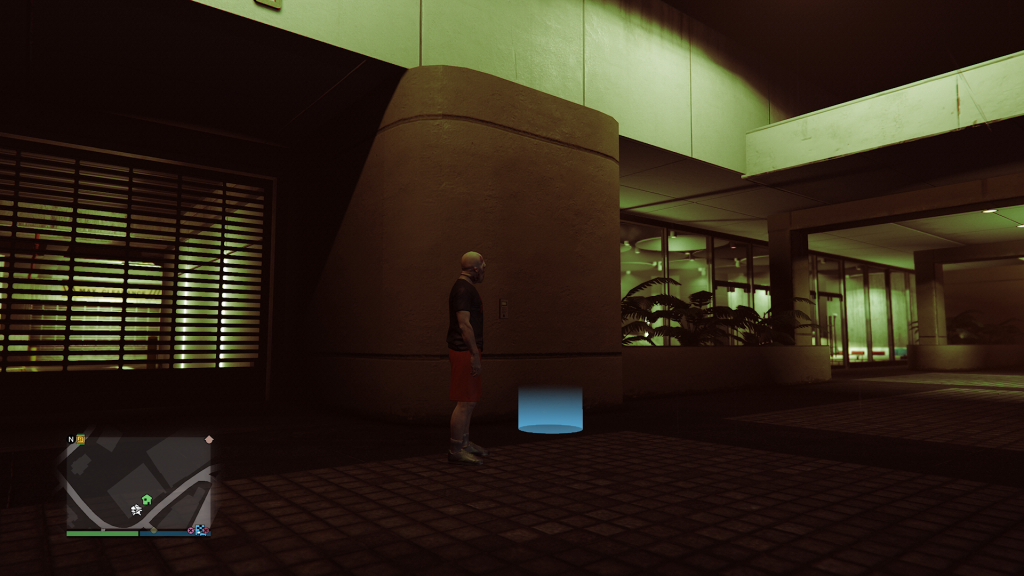
The green and orange filter is applied to every player in GTA Online but not everyone is a fan for various reasons. Thankfully there is a simple way to turn off the dark green filter as found by reddit user Glyphistaken. All you need for this is an apartment and to follow the few steps below:
Step 1: Go to your apartment’s entrance (any apartment works)
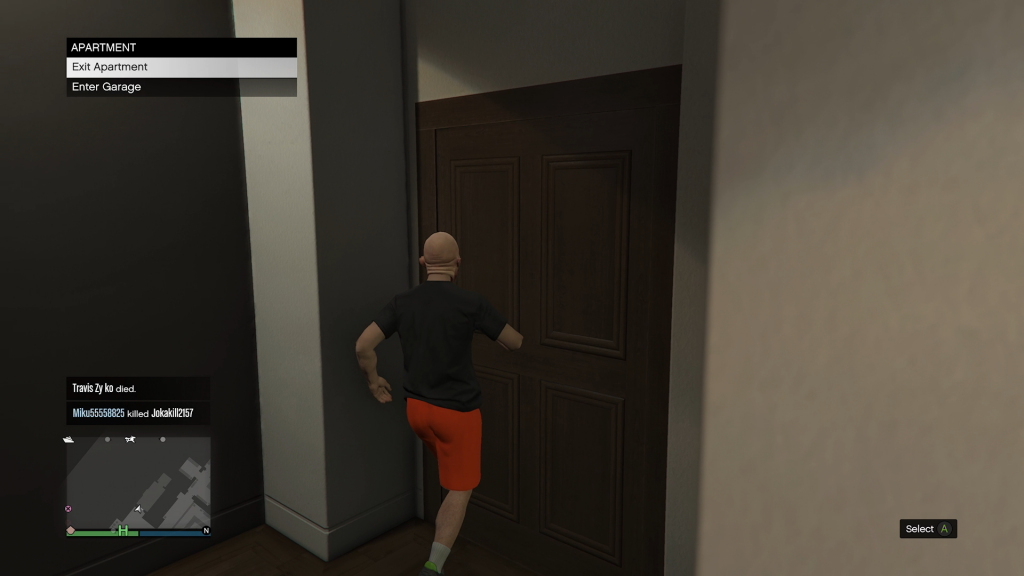
Step 2: Enter your apartment’s garage
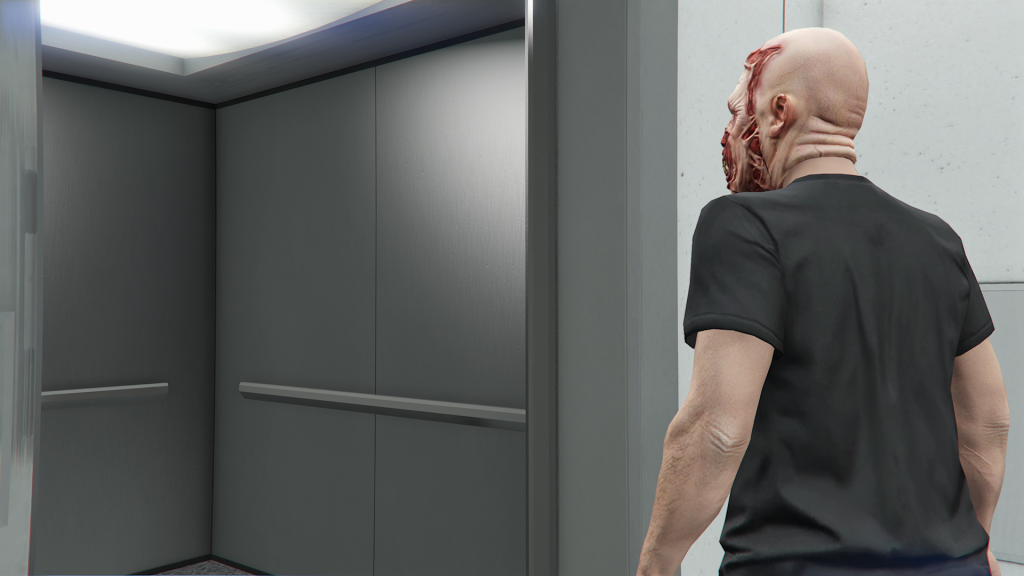
Step 3: Enter your apartment via the elevator
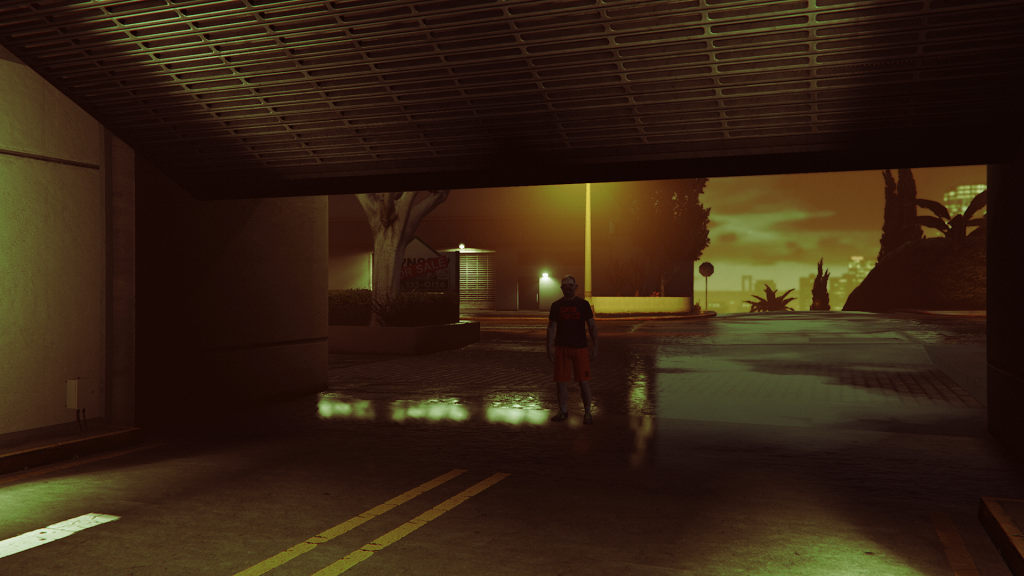
Step 4: Exit your apartment via the elevator and don’t choose garage
And that’s it! Once you arrive outside your apartment, you will see no Halloween filter. This will remain off until you complete a job or load into a new GTA Online session. So it is temporary but at least it is simple, easy and repeatable. That said, if you don’t want to have to do this constantly, you can use green tint glasses and play in first person. This will heavily reduce the green filter as spotted by reddit user Outrageous-List-5118.
In other news, 12 new GTA VI screenshots were released which you can view here. Plus, South Park aired new gameplay from the game involving Jason throwing dog poo at an NPC.
To keep up to date with every GTA Online news update, make sure to check back to RockstarINTEL and sign up to our newsletter for a weekly round-up of all things Rockstar Games.
RockstarINTEL Bluesky
Grand Theft Auto News X
Red Dead News X
RockstarINTEL X
RockstarINTEL Instagram
RockstarINTEL Threads
RockstarINTEL Facebook
RockstarINTEL RSS Feed
RockstarINTEL TIKTOK
RockstarINTEL LinkedIn
Subscribe to our newsletter!
The post GTA Online Gets Halloween Weather Ahead Of GTA 6, Here’s How To Turn It Off appeared first on RockstarINTEL.
Continue reading...

