

GTA VI has a lot of features and interactable elements that you might have missed. There are lots of things you can use in different ways. We’ve got a list of what various button presses do when using certain items or interacting with people. This list ranges from combat to driving, flying and more. These were all complied by u/fromouterspace1, u/jcgam, myself and other community members.
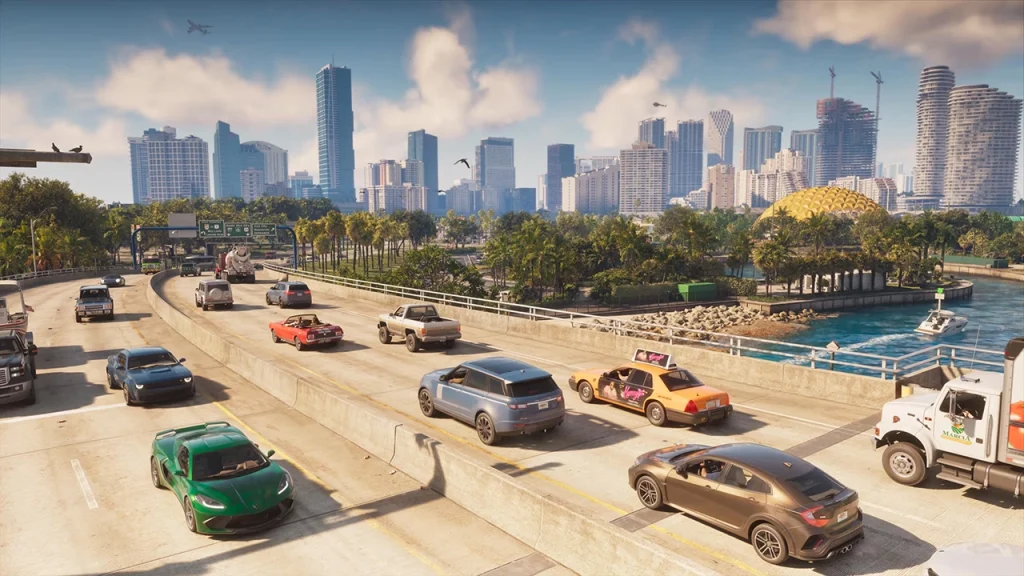
Looking for some Grand Theft Auto VI guides? We show you how you can unlock the exclusive Venturas Blvd Elegy here. Plus, check out the best settings to use when playing the game. In other Grand Theft Auto VI news, the game sold over 30 million copies on day one. Learn more here.
Have you any fun controls missing from the list? Let us know down in the comment section below.
You can order your PS5 or XBOX copy of Grand Theft Auto VI with this link. Using the link to order the game will help support this website as we’ll earn a small commission. Thank you!
For more news on GTA VI, stay tuned to RockstarINTEL and sign up to our newsletter for a weekly round-up of all things Rockstar Games delivered straight to your inbox.
Subscribe to our newsletter!
The post 30+ Hidden GTA 6 Controls and Secret Mechanics You Probably Missed appeared first on RockstarINTEL.
Continue reading...
On-Foot:
- Rest on railings/ledges: Hold L3/LS
- Lean on cars/walls/docks: Hold Circle/B
- Flick a lit cigarette: While smoking, hold R2/RT to flick the cigarette straight forward
- Flip someone off: While unarmed, hold L2/LT to focus on someone and press R1/RB
- Swap carried item to other hand: While holding an object, press D-Pad Left to switch it to your other hand
- First-person “inspect” & zoom view: While unarmed (or focusing on an NPC), hold L2/LT + click R3/RS, hold R2/RT to zoom; click R3/RS again to exit)
- Listen to radio on foot: Buy earbuds or over-ear headphones, equip them from your inventory, and listen to radio stations while walking around
- Slide over car hoods: While sprinting L3/LS toward a car, tap X/A at the hood to slide across without losing momentum
- Combat roll / dodge while aiming: Hold L2/LT + push Left Stick + tap X/A
Combat & Weapons:
- Choke opponents in melee: While grappling an enemy (R2/RT), hold Square/X and press the D-Pad
- One-hand a handgun: Fire a pistol without holding L2/LT (hip-fire). PS5 only: you can just aim once then soft hold the trigger before it activates the adaptive trigger then character will now aim using one hand.
- Switch aiming shoulder: While aiming (L2/LT), press D-Pad Left or Right
- First-person ADS (moveable): If your weapon has a sight attached, click R3/RS while aiming to enter/exit full moveable first-person view
Driving:
- Look behind: Hold R3/RS
- Turn signals (blinkers): Tap D-Pad Left or Right
- Headlights & high beams: Tap Circle/B
- Duck behind steering wheel: Hold Circle/B
- Kick car door to attack while driving: Tap Square/X
- Road rage / trash talk nearby drivers: Tap R3/RS
- Radio on/off: Double-tap D-Pad Left
- Vehicle Controls menu (windows, hazards, brightness, engine off): Hold D-Pad Left + flick Right Stick Up
- Leave engine, headlights & radio running on exit: Double-tap Triangle/Y (single tap turns them off)
- Cinematic mode & auto-drive: Set a waypoint, hold D-Pad Down for Cinematic camera, then hold Circle/B to auto-drive
- Emergency vehicle manual siren & tones: In a police/emergency vehicle, press L3/LS for the horn, press Left Stick Up for the manual siren tone, or hold L3/LS + Left Stick Up to cycle siren tones
- Store melee weapons in your trunk: Open your vehicle trunk to store bats, shovels, and other melee weapons
- Flip overturned cars: Walk directly into the side of an overturned vehicle on foot to trigger a shove animation
- Push cars: Push L3/LS at the front or rear of a car to begin the pushing animation.
- Shove cars: Holding Square/X when pushing a car will shove it
- Smoke whilst driving: Hold L1/LB inside a car to select cigarettes from the item wheel
Boats & Watercraft:
- Boat autopilot / walk the deck: Double-tap Triangle/Y at the helm to step away and walk around, boat keeps cruising
- Push beached jet ski or boat back into water: Walk up to a grounded jet ski or boat and hold L1/LB (or walk into the hull on foot) to shove it back into water
- Tow & launch boats/jet skis: Back any pickup truck or SUV onto a boat trailer to hitch it automatically, back down a boat ramp to launch, and drive back onto the trailer to reload
Aviation:
- Aircraft landing gear: Click L3 / LS while flying to retract or deploy undercarriage
Parachuting:
- Equip & deploy parachute: Boarding any plane or helicopter automatically gives you a backup chute when you bail out—for on-foot BASE jumps (rooftops, bridges, cliffs)
- Buy a parachute at Ammu-Nation ($250) and toggle it On via L1/LB → R1/RB → bottom-left → R2/RT (shared slot with armor). Press X/A in freefall to open, steer/dive/flare with Left Stick, hold L2/LT or R2/RT for sharp turns, and press Triangle/Y to cut away early.
- Deploy, steer & cut away parachute: Press X/A in freefall to open, steer/dive/flare with Left Stick, hold L2/LT or R2/RT for sharp left/right turns, and press Triangle/Y to cut away early
Looking for some Grand Theft Auto VI guides? We show you how you can unlock the exclusive Venturas Blvd Elegy here. Plus, check out the best settings to use when playing the game. In other Grand Theft Auto VI news, the game sold over 30 million copies on day one. Learn more here.
Have you any fun controls missing from the list? Let us know down in the comment section below.
You can order your PS5 or XBOX copy of Grand Theft Auto VI with this link. Using the link to order the game will help support this website as we’ll earn a small commission. Thank you!
For more news on GTA VI, stay tuned to RockstarINTEL and sign up to our newsletter for a weekly round-up of all things Rockstar Games delivered straight to your inbox.
RockstarINTEL Bluesky
Grand Theft Auto News X
Red Dead News X
RockstarINTEL X
RockstarINTEL Instagram
RockstarINTEL Threads
RockstarINTEL Facebook
RockstarINTEL RSS Feed
RockstarINTEL TIKTOK
RockstarINTEL LinkedIn
Subscribe to our newsletter!
The post 30+ Hidden GTA 6 Controls and Secret Mechanics You Probably Missed appeared first on RockstarINTEL.
Continue reading...

